Custom PC Builds: Create a Gaming Setup That Reflects Your Personality
Building a custom gaming PC isn't just about putting together parts, it's like crafting something uniquely yours. This guide will show you how to plan, pick components, and add your personal touch to create a system that performs well and looks just the way you want. Whether you're dreaming of a sleek, minimalist machine, a retro-style setup, or a high-performance gaming beast, we'll walk you through the planning, choosing parts, cooling strategies, lighting, and even troubleshooting. Plus, if you're in Boston, you'll find tips on local resources that can help bring your vision to life.
Before we get started, remember that Tynietech Pc can help with repairs, parts sales, and even hands-on assembly if you want some expert support. If you’re thinking about a custom build but prefer a turnkey option later, check out our custom-built computers for personalized designs and consultations. This guide also links to trusted industry sources and research so you can check out trends and case studies as you go.
Why Build a Custom Gaming PC?
Personalization and Aesthetics
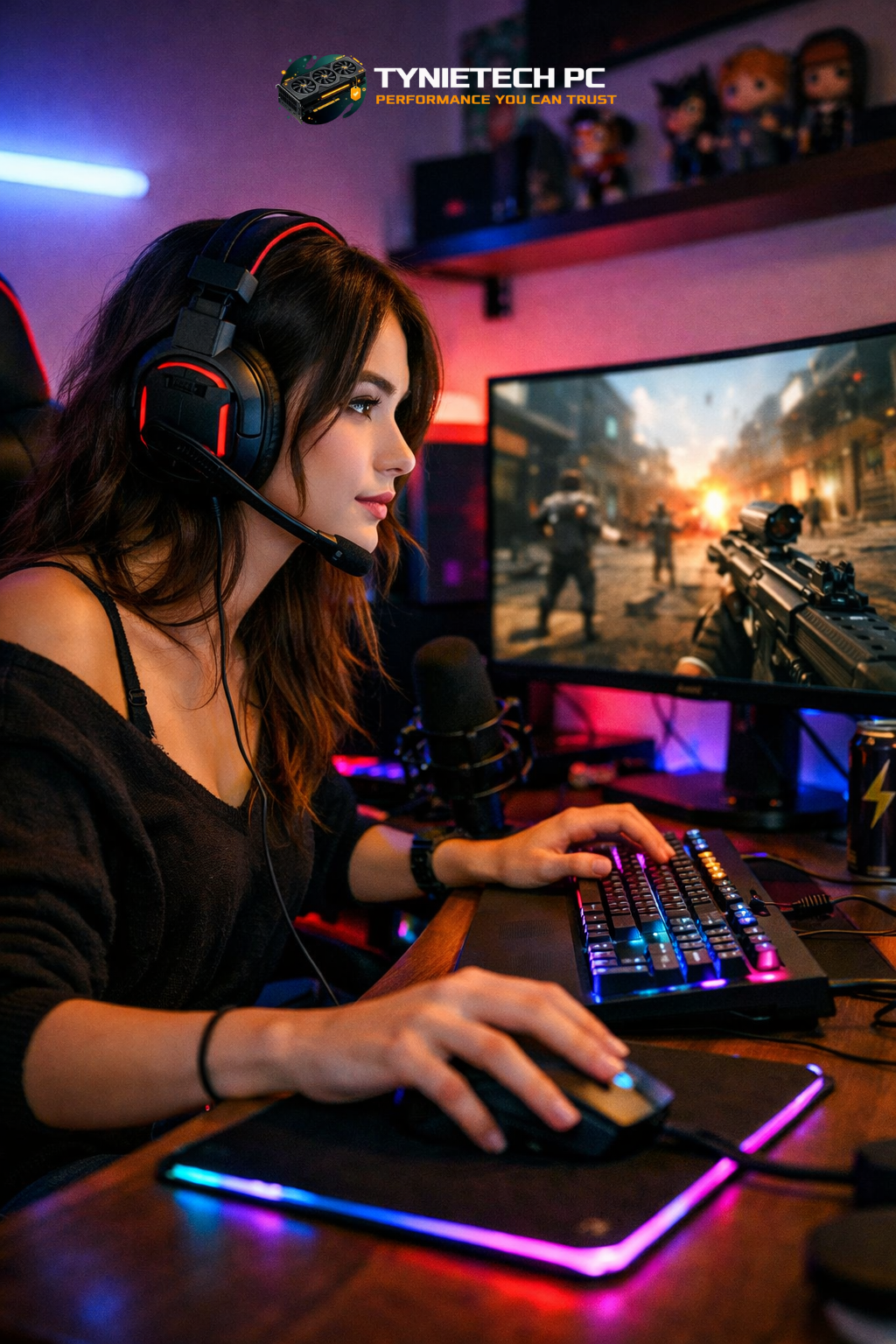
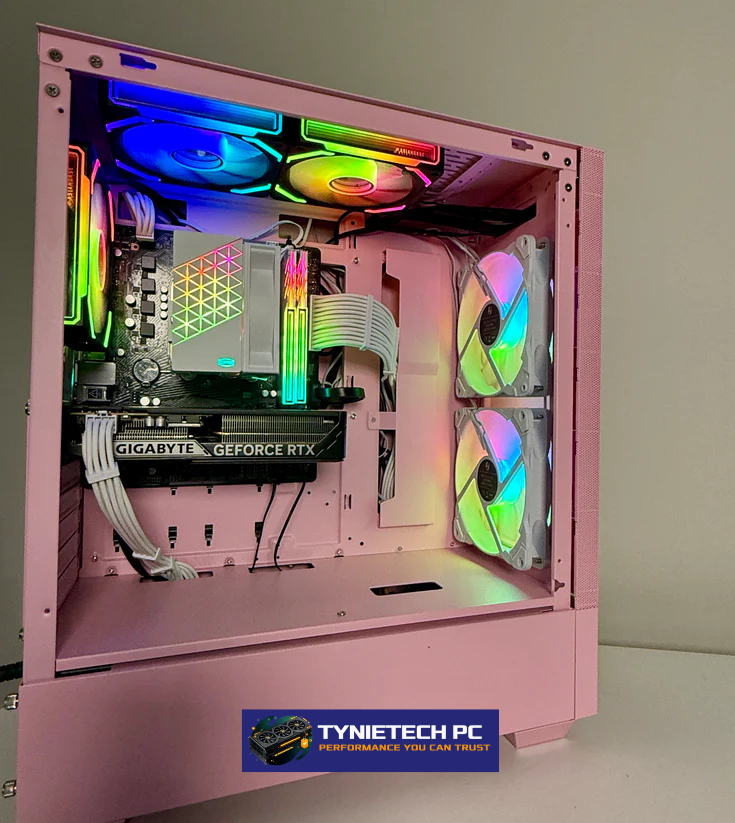
With a custom build, you can make a machine that's all about you. Choose colors, RGB lighting, a cool case, or themed decals that express your style and hobbies. Whether you love subtle lighting or a bold, high-contrast setup, customizing your PC's look gives your gaming space a signature style that store-bought systems can't match. Little touches like neat cable management, custom sleeves, and unique faceplates can make a big difference.
Performance Tailored to Your Games
Custom builds let you tweak performance to suit your gaming needs. Whether you're after high frames per second for competitive games or stunning visuals for solo adventures, you decide what matters most. By picking the right CPU, GPU, RAM, storage, and cooling, you can achieve your desired frame rates and maintain smooth gameplay. Modern GPUs offer impressive gains, ensuring smooth gaming and future-proofing for new titles.
Upgradability and Longevity
Custom PCs are easier to upgrade and maintain than many prebuilt ones. Choosing a standard ATX motherboard with plenty of expansion slots, a modular power supply, and a roomy case means you can upgrade parts over time instead of replacing the whole thing. Opting for quality components like reliable motherboards and power supplies boosts longevity and cuts down on maintenance. This approach saves money in the long run and keeps your system ready for future upgrades.
Planning Your Build: Assess Needs, Budget, and Timeline
Define Your Use Case and Performance Targets
First, figure out how you'll use your PC: gaming, creating content, streaming, or a bit of everything. Each use has different hardware needs. Gamers might focus on high refresh-rate displays and low-latency gear, while creators might need more CPU cores and faster storage. Write down your goals, like target resolution and frame rate, so you can prioritize your parts list and avoid overspending on unnecessary features.
Set a Realistic Budget and Tier Strategy
Budgeting for a custom build means balancing costs against the parts that matter most. Mid-range builds, typically costing between $1,000 and $2,500, offer great performance for 1080p and 1440p gaming. High-end systems, ranging from $2,500 to $5,000, include better GPUs, faster storage, and advanced cooling for 4K or streaming. Break your budget into categories (GPU, CPU, motherboard, etc.) to make trade-offs clear and manageable.
Timeline and Procurement Considerations
Timing can affect both cost and how long your build takes. Component prices can change due to supply chain events, so keep an eye on reliable sources and market trends to buy at good prices. If you want help finding parts or assembling the system quickly, our hardware upgrades and custom build services can speed up the process. Plan for lead times, especially for specialty parts like custom panels or limited-edition cases.
Choosing Components: Balancing Quality and Value
CPU and Motherboard: Foundation of the Build
Pick a CPU that fits your main use: more cores help with content creation and streaming, while high single-core performance benefits many games. Pair it with a compatible motherboard offering the slots and connectivity you need: PCIe lanes, M.2 slots, RAM capacity, and USB ports. Choose a motherboard from a reliable vendor and consider future-proofing features like DDR5 support if you're planning for upgrades.
GPU: Your Primary Gaming Investment
The GPU often takes the biggest chunk of the budget for gaming builds. New GPUs offer massive performance improvements; when picking one, balance your resolution and frame-rate goals with your budget. Be mindful of cooling and size constraints when choosing a GPU. If you plan to upgrade soon, make sure your power supply can handle future high-wattage cards.
Storage, Memory, and Power Supply
Fast NVMe SSDs cut load times and boost system responsiveness. Pair a high-speed NVMe for your OS and frequently played games with bigger SATA SSDs or HDDs for bulk storage. For RAM, choose a capacity and speed that match your tasks. 16GB is a good starting point for gaming, while 32GB+ supports streaming and creative workloads. Finally, pick a high-efficiency modular PSU with a wattage cushion of 20–30% above peak consumption for stable power and quieter operation.
Cooling and Thermal Design: Keep Your System Stable and Quiet
Air Cooling vs. Liquid Cooling
Air cooling is reliable and affordable; high-quality air coolers work well for many builds. Liquid cooling, including custom loops and all-in-one (AIO) solutions, offers better thermal headroom and visual appeal. Newer designs like cable-free AIO coolers reduce clutter and simplify installation while delivering excellent cooling. Check out industry reports for examples of innovations leading to cleaner builds and easier installations.
Case Selection and Airflow Strategies
Case design greatly impacts thermals and noise. Multi-chamber cases separate hot components from cooler zones, improving airflow and simplifying cable routing. Cases with mesh panels and well-placed fan mounts encourage positive airflow and reduce hotspots. When choosing a case, check compatibility with GPU length, cooler height, and radiator sizes, and look for temperature benchmarks if available.
Cable Management and Practical Tips
Good cable management boosts airflow and looks. Use cable ties, Velcro straps, and route cables behind the motherboard tray to keep them out of the airflow. Consider modular PSUs and custom sleeved cables for a polished look. Newer AIO designs that reduce auxiliary hoses or combine connectors can further reduce clutter and help achieve a neat, cable-free appearance.
Aesthetics and Personal Expression: Make the Build Yours
RGB, Theming, and Color Choice
RGB lighting allows endless color and mood customization. Create a cohesive look by choosing a consistent color palette and using software to sync lighting effects across components and peripherals. Alternatively, subtle single-color lighting or no lighting can create a minimalist and timeless look. Consider how your PC fits into your room's lighting and decor for a harmonious overall setup.
Case Mods, Retro Designs, and Limited Editions
For unique flair, explore limited-edition or retro-inspired cases that recall a certain era or style. Recent releases show a demand for nostalgia paired with modern internals. Limited-edition builds and custom front plates, including bespoke 3D-printed elements or vinyl wraps, let you highlight fandom, heritage, or personal stories. If you want nostalgia with modern hardware, look for vendor case releases that blend these elements while ensuring good thermals.
Peripherals and Desk Ecosystem
Your PC's personality extends beyond the tower. Match keyboard switches, keycap profiles, mouse shapes, and monitor stands to your comfort and style preferences. Coordinated desk mats, cable channels, and RGB ambient lighting behind monitors can complete the experience. Consider ergonomics along with aesthetics so your setup is comfortable for long sessions without sacrificing style.
Troubleshooting, Compatibility, and Testing
Compatibility Checks and Pre-Build Verification
Compatibility errors are common build headaches. Use verified online tools and PC part pickers to confirm socket compatibility, clearance issues, and power needs. Check for BIOS updates needed for newer CPUs on older motherboards. If you're unsure, our technicians can assist with part validation and firmware updates to avoid delays and ensure a smooth build.
Post-Build Testing and Benchmarks
After assembly, run stability tests, stress benchmarks, and thermal monitoring to check system health and performance. Tools like GPU and CPU stress tests reveal thermal throttling, while real-world gaming sessions check stability under actual loads. Benchmarking shows if component changes deliver expected benefits and guides future upgrades.
Common Issues and Solutions
Common problems include boot issues from incorrect cabling, overheating due to bad airflow, or mismatched RAM profiles. Address these by stepping through diagnostics: recheck power connectors, reseat components, ensure BIOS settings are default during the first boot, and review motherboard QVL lists for RAM compatibility. If you encounter data issues after a failed component, professional data recovery services can help retrieve critical files while you fix or replace hardware.
Case Studies and Real-World Examples
Retro-Inspired Builds: Nostalgia Meets Modern Performance
Retro-themed systems are popular for builders wanting a nostalgic touch without losing modern performance. Limited runs and custom skins mimic older designs while integrating modern parts. These builds show how case design and creative finishing evoke emotional resonance. To explore the concept further, some industry reviews and launches highlight how retro aesthetics are being reimagined today and offer inspiration for your own themed build.
Innovative Case Architectures and Multi-Chamber Layouts
Manufacturers are trying out multi-chamber case designs that focus on thermal separation and modular layouts. These designs create separate zones for power, storage, and cooling to reduce thermal coupling and simplify cable routing. Case innovations are especially valuable for builders who want high-performance parts but prefer clean visuals and manageable noise levels. When selecting such cases, verify component compatibility and radiator sizes to avoid surprises.
Streamlined Builds with Cable-Free AIO Solutions
New liquid cooling products aim to simplify internal cable routing and improve the look by reducing tubing and connectors. These advances are attractive for first-time builders and veterans wanting a cleaner internal layout. Simplified AIO ecosystems decrease installation complexity and can lead to faster assembly times, while still delivering strong thermal performance for both CPUs and, increasingly, GPUs in hybrid designs.
Local Resources in Boston and Working with Professionals
Why Choose Local Support
Working with local specialists ensures you have support for warranty issues, upgrades, and repairs without shipping delays. Local providers can offer hands-on consultations, test-fits, and practical advice tailored to living spaces and local retailer availability. Boston’s tech community includes experienced shops that support custom builds, repairs, and parts sourcing, making it easier to get rapid help when you need it.
Local Shops, Parts, and Services
Boston has several businesses focusing on custom systems, repairs, and parts sales. If you prefer professional assembly, consider contacting local shops for consultations and hands-on build assistance. For example, our team at Tynietech Pc provides expert assembly, diagnostic services, and ongoing maintenance—learn more about practical support options on our computer maintenance services page. Local shops can also source limited-edition parts and provide knowledge transfer so you can maintain your system confidently.
Community Events and Local Inspiration
Attending local LAN parties, maker fairs, and hardware meetups is a great way to see builds in person and connect with fellow builders for tips on mods, cooling, and cable management. These events often showcase creative projects and are a practical place to learn hands-on skills, verify part compatibility, and find trusted local vendors who can handle repairs or bespoke customizations. Community-driven feedback helps ensure that your build is both personal and practical.
Frequently Asked Questions (FAQ) and Troubleshooting Guide
How Much Should I Spend?
Budget depends on your targets: a mid-range gaming build often sits between $1,000 and $2,500 and will handle most modern titles at 1080p and 1440p. High-end builds targeting 4K, streaming, or content creation frequently range from $2,500 to $5,000. Define your must-have features and invest more heavily in the components that matter for your use case, like GPU for gaming or CPU and RAM for content creation. For hands-on budgeting help, consult our custom-built computers team for packages that match your budget and goals.
How Do I Ensure Compatibility?
Use reputable part-picker tools and verify compatibility against motherboard manuals and manufacturer QVL lists. Check CPU socket, RAM type, GPU clearance, and PSU connectors before purchase. If you’re uncertain about firmware compatibility, consult support resources or seek professional assistance from local technicians who can validate parts and apply any needed BIOS updates before assembly.
How Do I Future-Proof My Build?
Future-proof by choosing a robust PSU, a spacious case with good airflow, and a motherboard with extra expansion slots and contemporary features like PCIe 4.0/5.0 or DDR5 support if within budget. Avoid squeezing to the maximum of power or thermal capacity; leave room to upgrade components such as GPU or additional NVMe drives without a complete redesign. Regular maintenance and firmware updates also extend the useful life of your system.
Conclusion and Next Steps
Creating a custom gaming PC that reflects your personality is a rewarding project that blends engineering, design, and self-expression. From initial planning and budgeting to selecting parts, implementing cooling, and finishing with aesthetic touches, each decision contributes to a system that performs well and looks like an extension of you. Keep the balance between performance, thermal management, and aesthetics in mind throughout the process to avoid common pitfalls and build a machine you’ll enjoy for years.
If you’d like professional help sourcing parts, validating compatibility, or performing assembly, Tynietech Pc offers tailored services across the full lifecycle of a build. For hardware upgrades and maintenance, explore our hardware upgrades page and our virus and malware removal services to keep your system secure and performing well. We also provide data recovery and ongoing maintenance so your investment stays protected and functional.
For further reading on industry innovations referenced in this guide, see authoritative coverage from technology publications and reference material that informed our recommendations. Learn more about recent case and cooling innovations in trade coverage and community reviews, and explore the broader context of PC gaming and market trends via resources like PC gaming on Wikipedia and coverage from reputable outlets. Example reporting on cable-free AIO designs and multi-chamber cases highlights how manufacturers are simplifying builds and improving thermal performance for modern builders; these product innovations are covered in technical publications and reviews that can help fine-tune your parts list.
Ready to turn your idea into a reality? Contact Tynietech Pc at tyni2950@gmail.com or call 619-857-7735 to schedule a consultation. Whether you want a hands-on build, parts sourcing, or professional assembly in Boston, our team can help make your custom gaming PC both beautiful and powerful. Build with intention, prioritize quality components, and don’t be afraid to express your personality — the best rigs are the ones you enjoy using every day.